> ## Documentation Index
> Fetch the complete documentation index at: https://docs.b3.fun/llms.txt
> Use this file to discover all available pages before exploring further.
# How to Verify the Status of a Transaction on B3
> Learn how to track and verify your transactions on the B3 Network using the block explorer with transaction hashes or wallet addresses
If you've sent a transaction on the B3 Network and want to check whether it's been confirmed, pending, or failed, you can easily track it using the B3 Block Explorer. All you need is the transaction hash (TxHash) or the wallet address involved in the transaction.
## Steps to Verify a Transaction
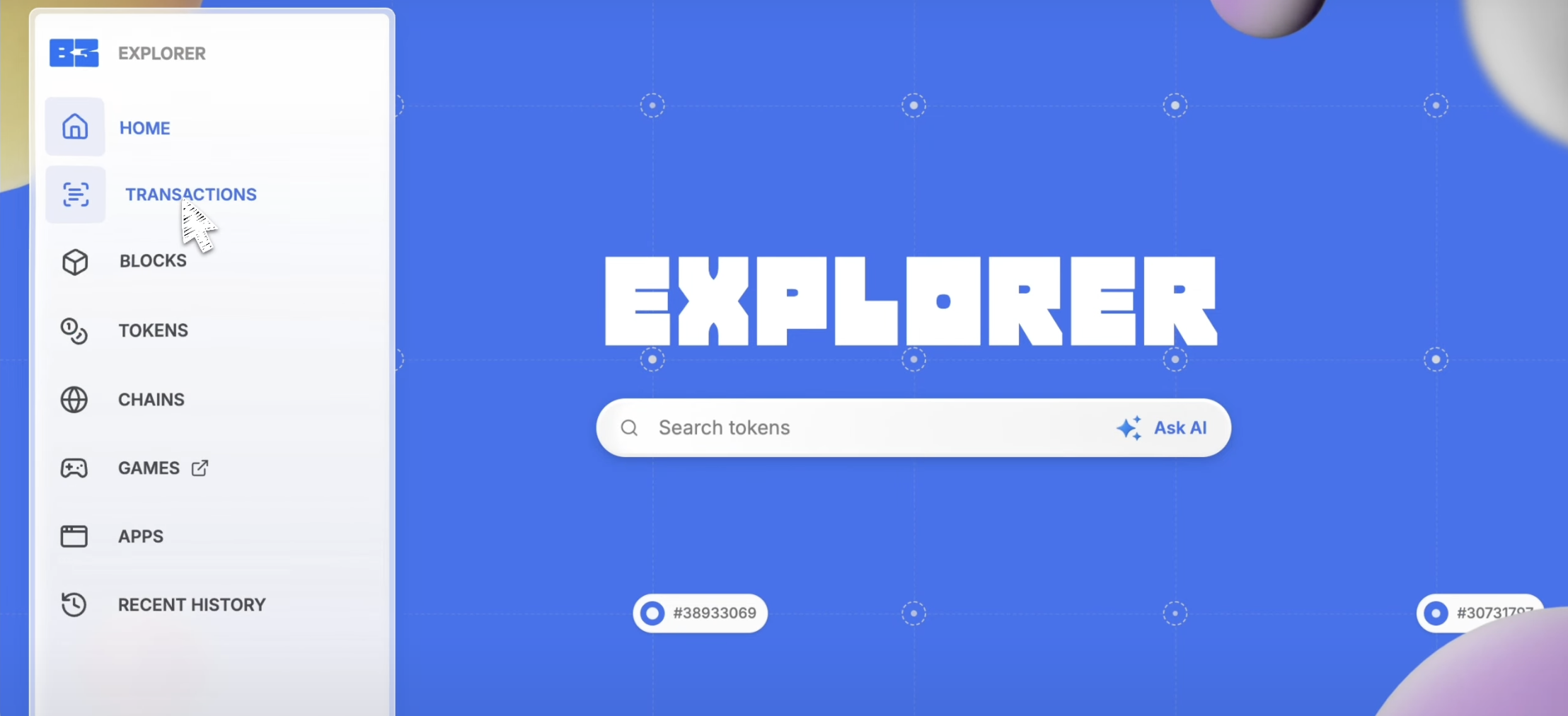
Go to [explorer.b3.fun](https://explorer.b3.fun).
Hover over the left side panel to expand it and click on **Transactions.**
A new search bar will appear. In the search bar, enter either:
* The wallet address that initiated the transaction
* Or the transaction hash (TxHash)
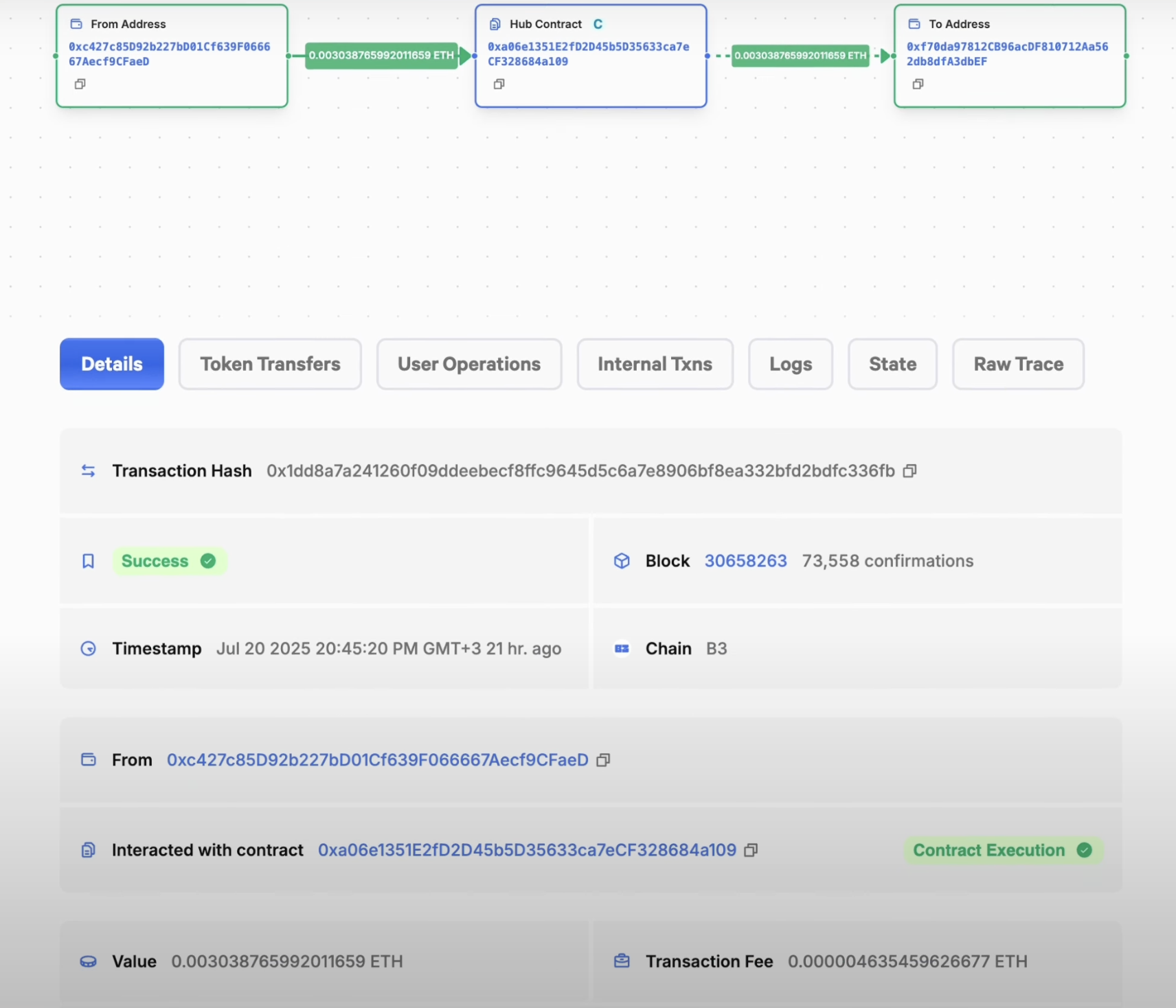
Browse the results and click the relevant transaction to view:
* Status (Success / Failed / Pending)
* Date & Time
* Tokens transferred
* Gas used
* Any other on-chain details
This is the best way to track mints, transfers, and other activity directly on the B3 Network.
## Transaction Status Meanings
* **Success:** Transaction completed successfully
* **Failed:** Transaction failed to execute (often due to insufficient gas or other errors)
* **Pending:** Transaction is still being processed by the network
You can bookmark frequently used wallet addresses in the explorer to quickly check transaction history in the future.