> ## Documentation Index
> Fetch the complete documentation index at: https://docs.b3.fun/llms.txt
> Use this file to discover all available pages before exploring further.
# How to Join a Tournament on Basement
> Learn how to compete in tournaments, climb leaderboards, and win prizes on the Basement gaming platform
Tournaments on Basement are your chance to compete for prizes, climb the leaderboard, and test your skills against other players. Whether you're playing for fun or going for the top spot, joining a tournament is quick and easy. Here's how to get started.
## How to Join a Tournament
Go to [**basement.fun**](https://basement.fun), click **Join the fun** and log in using your preferred method.
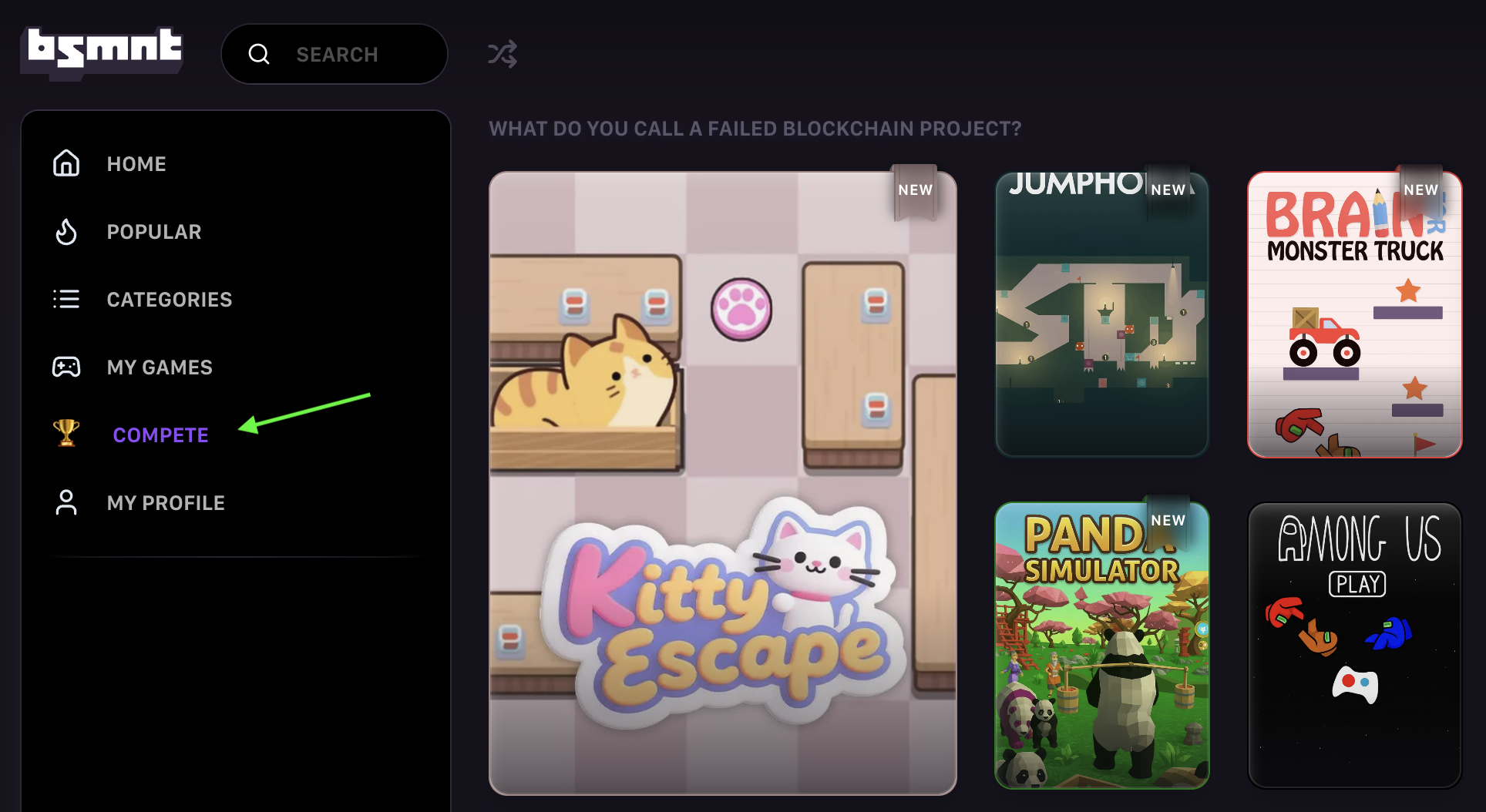
On the left side of the page, click the **Trophy icon** labeled **Compete**.
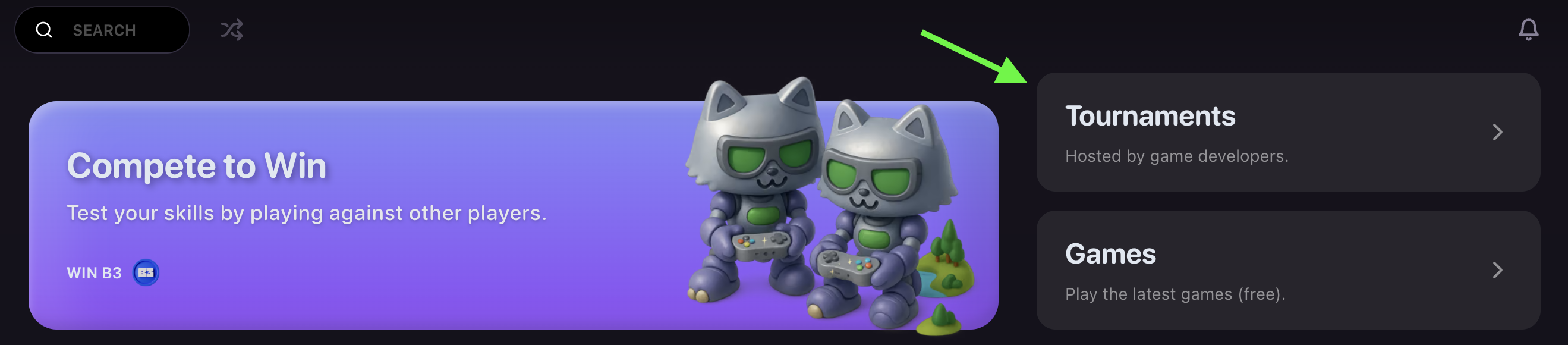
 On the Tournament page, click **Tournaments.**
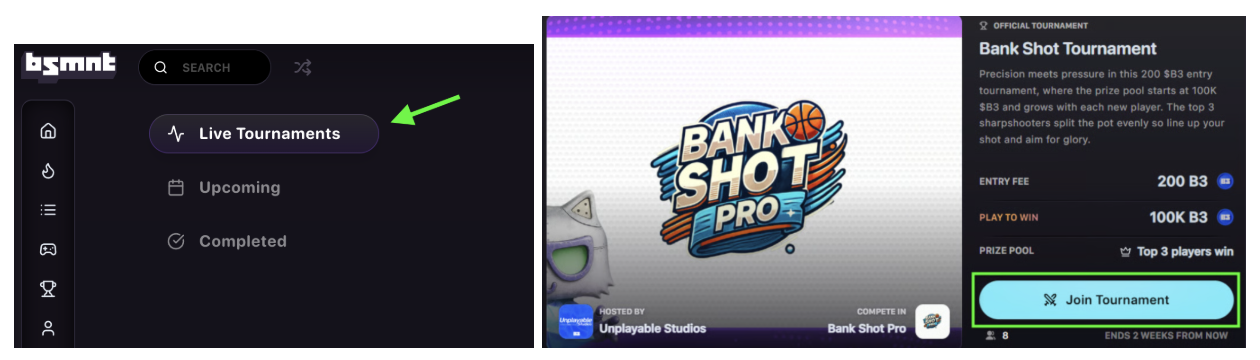
 Select **Live Tournaments** to view ongoing competitions. Browse the list of active tournaments and select the one you want to join. Click **Join Tournament** to open the tournament details page.
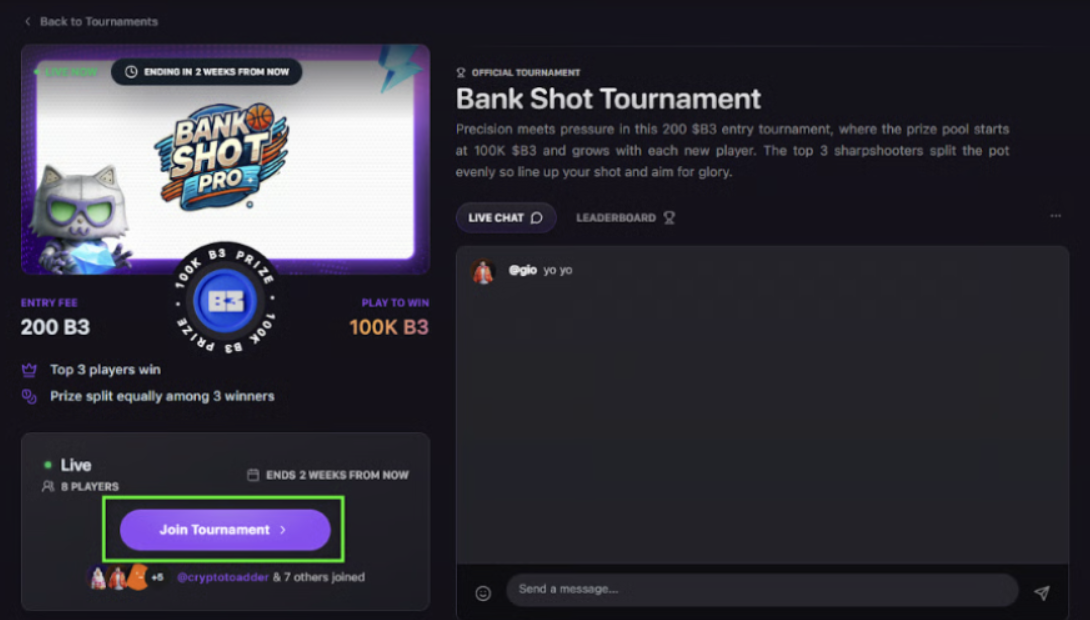
 Here you can review the **rules, prize pool, leaderboard, and time remaining.** You can also chat with other players in **Live Chat.** If you're ready to compete, click **Join Tournament** again to confirm your entry.
 Confirm the transaction in your connected wallet to complete your registration.
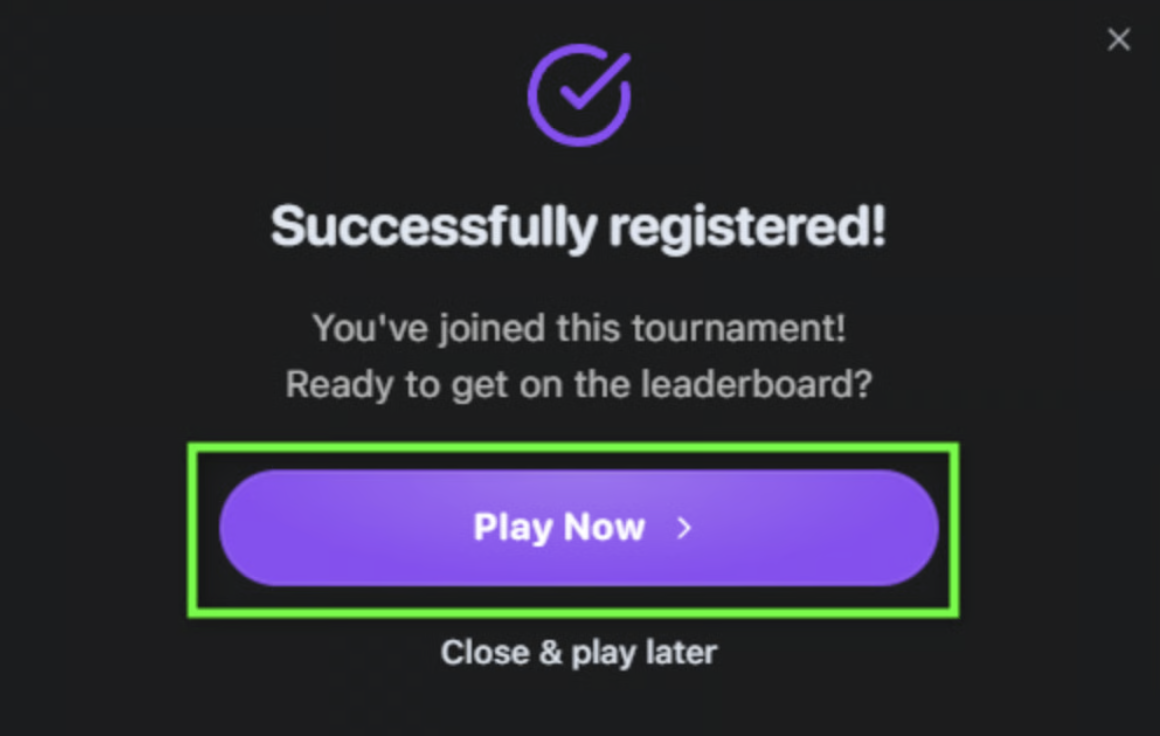
Once confirmed, click **Play Now** to start your matches and climb the leaderboard.
Confirm the transaction in your connected wallet to complete your registration.
Once confirmed, click **Play Now** to start your matches and climb the leaderboard.
 You're in. Good luck and have fun competing!
## Tournament Features
* **Real-time leaderboards** to track your progress
* **Live chat** to connect with other competitors
* **Clear rules and prize structures** for each tournament
* **Immediate entry** once payment is confirmed
Check the tournament rules and prize structure before joining to understand the competition format and what you're playing for.
You're in. Good luck and have fun competing!
## Tournament Features
* **Real-time leaderboards** to track your progress
* **Live chat** to connect with other competitors
* **Clear rules and prize structures** for each tournament
* **Immediate entry** once payment is confirmed
Check the tournament rules and prize structure before joining to understand the competition format and what you're playing for.