> ## Documentation Index
> Fetch the complete documentation index at: https://docs.b3.fun/llms.txt
> Use this file to discover all available pages before exploring further.
# How to Export Your Embedded Wallet on Basement
> Learn how to export your Basement embedded wallet to use with other apps like Rainbow or MetaMask by copying your private key or recovery phrase
Want to use your Basement wallet in other apps like Rainbow or MetaMask? Exporting your embedded wallet gives you full control by letting you copy your **secret recovery phrase** or **private key**, so you can import it into any supported wallet.
**Important:** Never share your private key or recovery phrase with anyone. Anyone with access to it can take your funds.
## Steps to Export Your Embedded Wallet
Log into [**Basement.fun**](https://basement.fun) using your preferred login method.
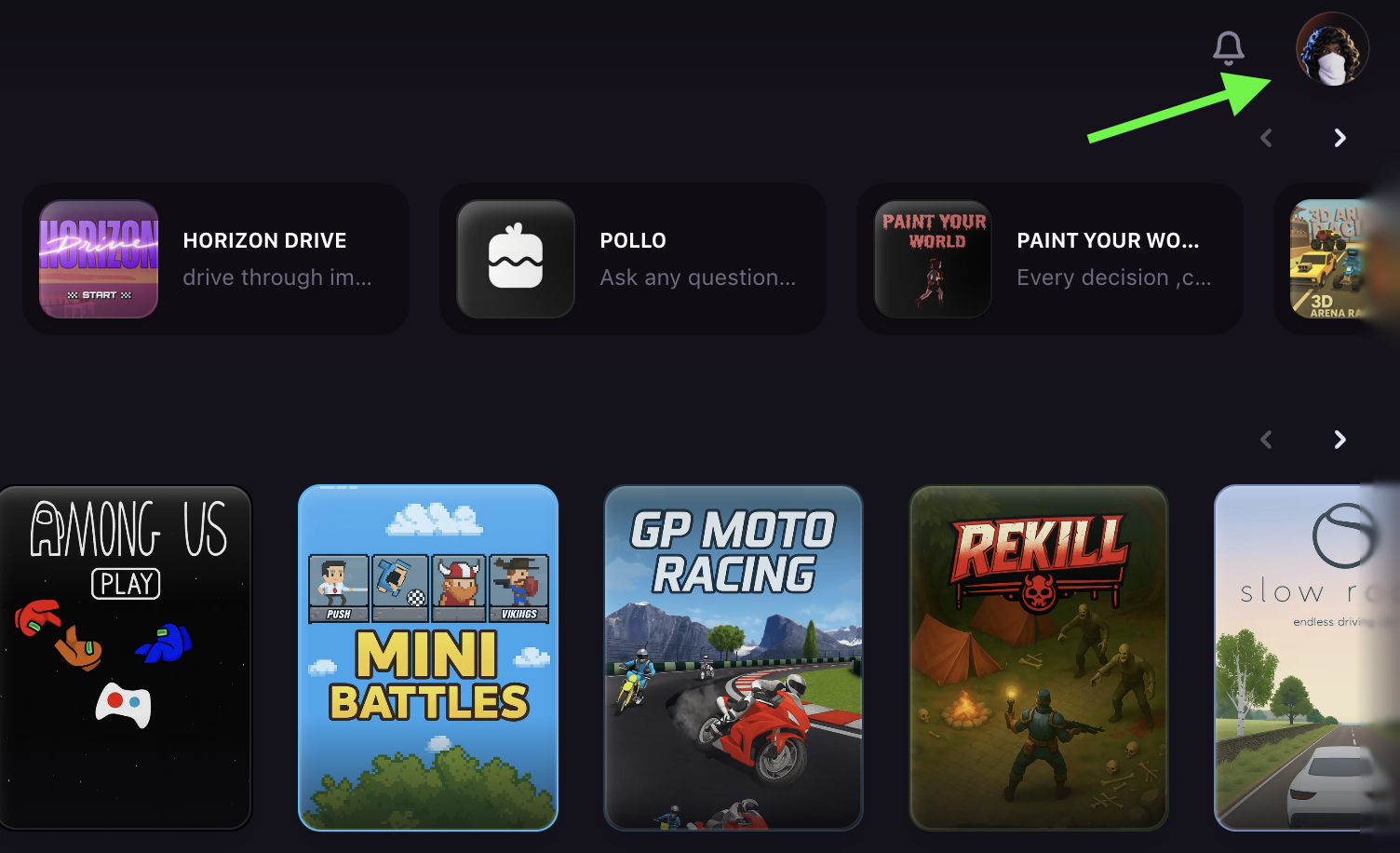
Click the **profile icon** in the top right corner of the page.
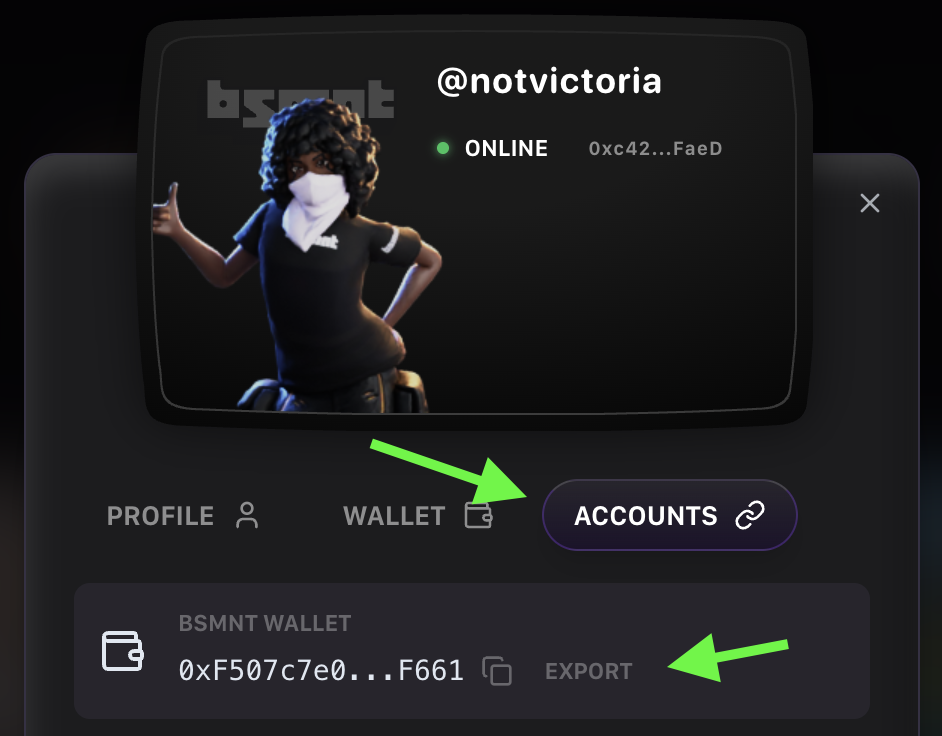
Go to the **Accounts** tab and click **Export** next to your wallet address.
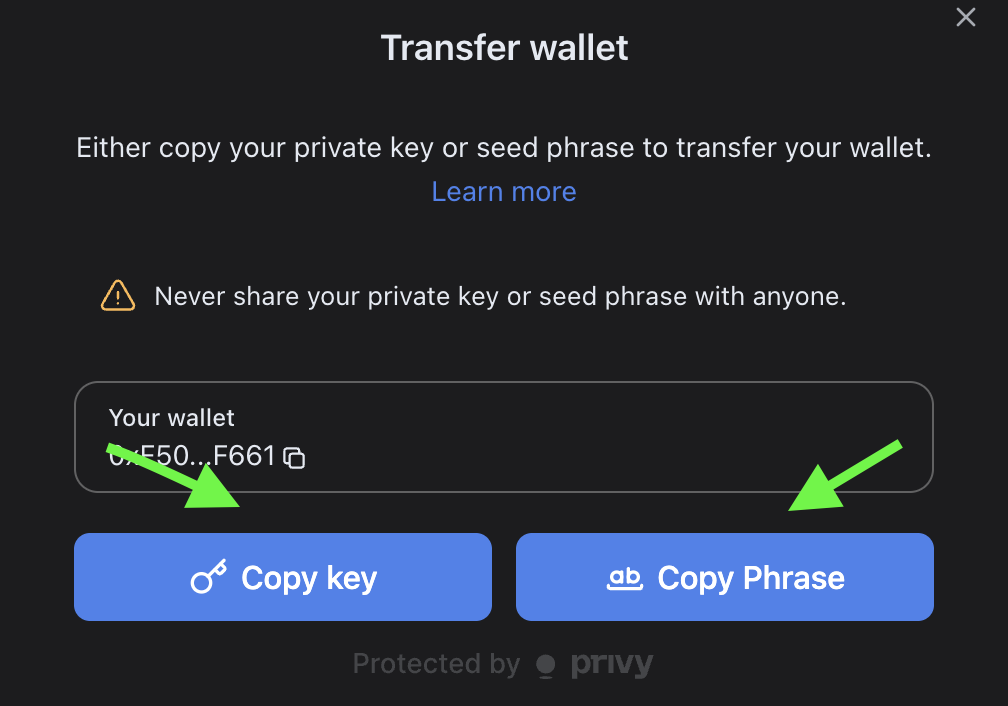
Click **Copy** to copy either your **secret recovery phrase** or **private key** to your clipboard.
Paste it into your preferred wallet app to import your wallet.
Your BSMNT wallet is now accessible in your external wallet app while maintaining full compatibility with the B3 ecosystem.
Your exported wallet credentials give you complete control over your funds and allow you to use the same wallet across multiple applications and platforms.