> ## Documentation Index
> Fetch the complete documentation index at: https://docs.b3.fun/llms.txt
> Use this file to discover all available pages before exploring further.

# How to Link Additional Social Accounts on Basement

> Connect multiple accounts like Discord, Twitter, Gmail, and more to your B3 profile for a consistent identity across platforms.

Whether you originally signed up with a wallet, email, or social account, you can connect more options anytime. This includes accounts like Gmail, Twitter, Apple, phone number, Discord, Telegram, and more.

This guide will walk you through how to link additional accounts on basement.fun.

## How to Link Additional Accounts

<iframe className="w-full aspect-video rounded-xl" src="https://www.youtube.com/embed/hc9jxH94ImU" title="How to link additional social accounts" frameBorder="0" allow="accelerometer; autoplay; clipboard-write; encrypted-media; gyroscope; picture-in-picture" allowFullScreen />

<Steps>
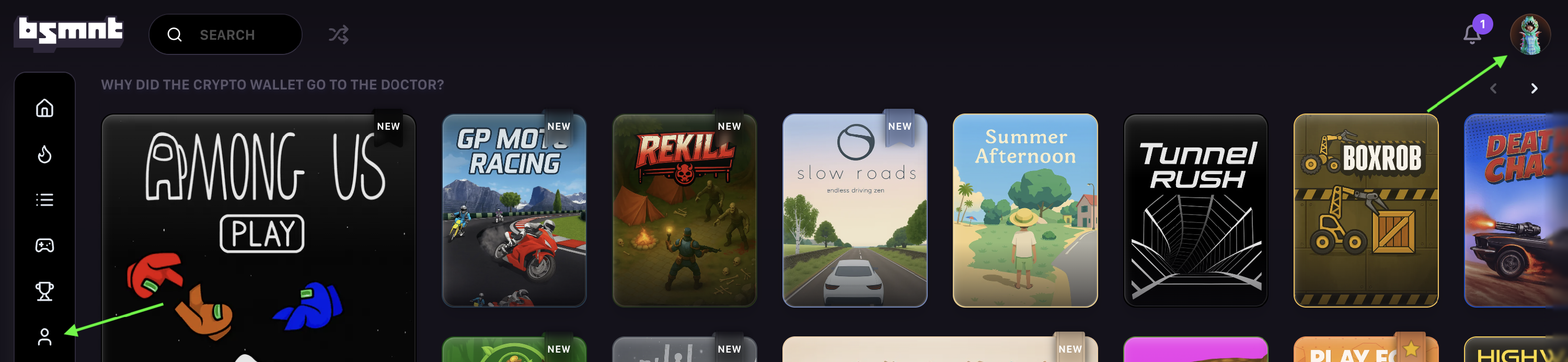
  <Step title="Open your profile menu">
    Click your profile icon on basement.fun to open your account menu.
    <Frame>
      ![Profile icon highlighted on basement.fun interface](https://s3.amazonaws.com/helpscout.net/docs/assets/685306b72e0550277aa9250e/images/6878ef3752724d3c54de906e/file-kvphfoR7j2.png)
    </Frame>
  </Step>

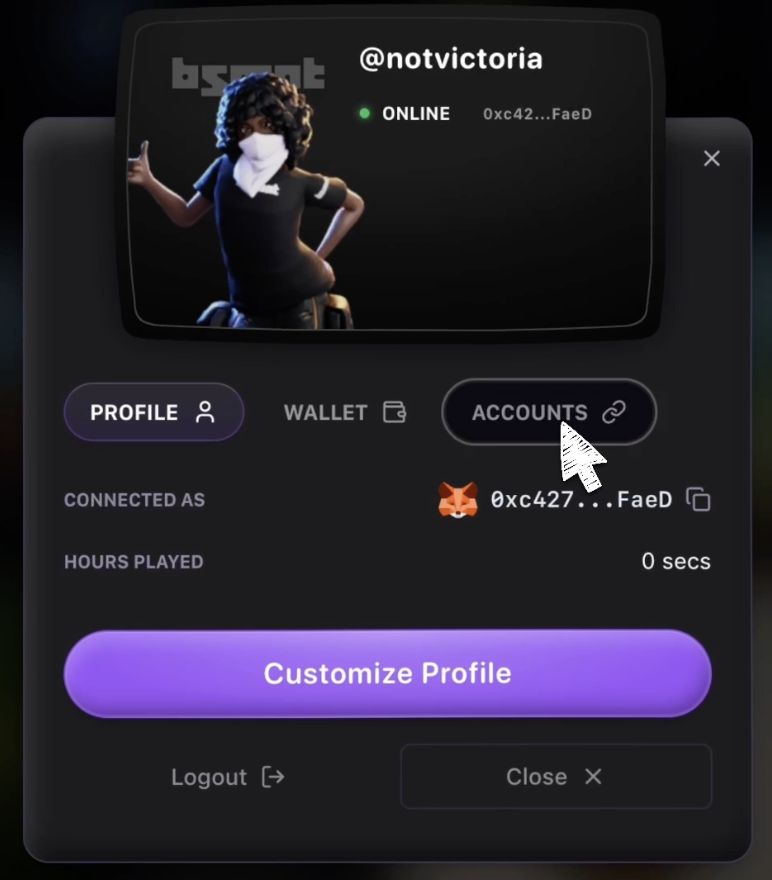
  <Step title="Navigate to Accounts tab">
    Navigate to the **Accounts** tab.

    <Frame>
      ![Accounts tab in profile menu](https://s3.amazonaws.com/helpscout.net/docs/assets/685306b72e0550277aa9250e/images/6879015252724d3c54de90cd/file-Bf3e1DTO4c.png)
    </Frame>
  </Step>

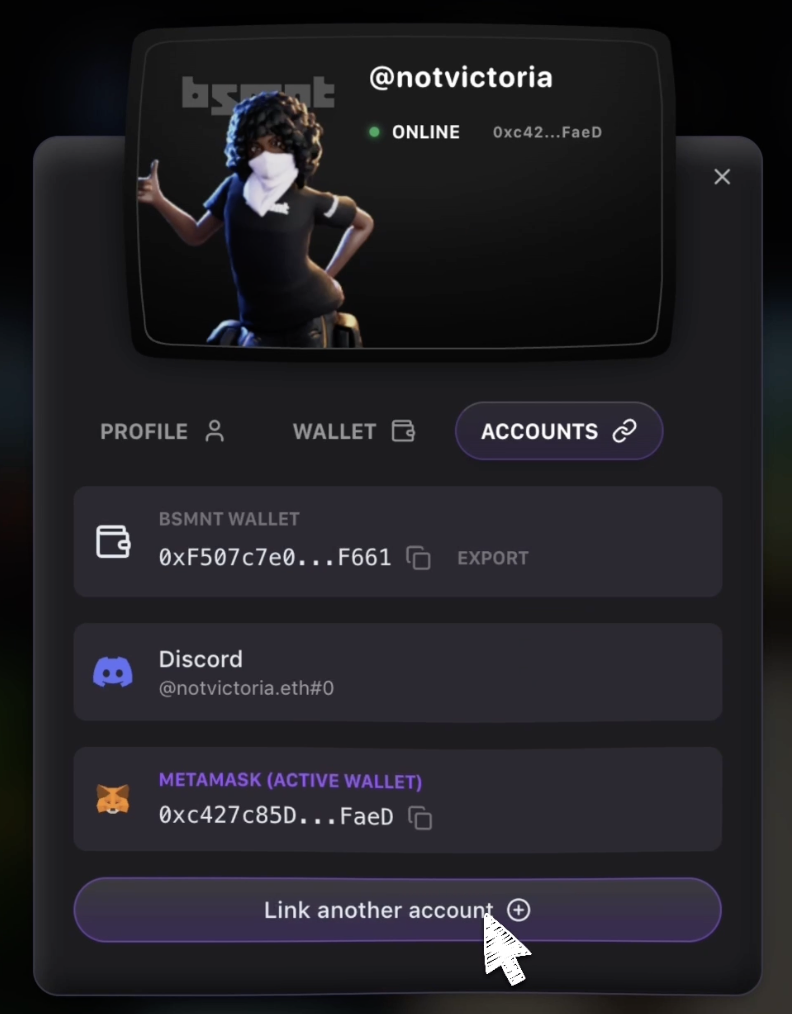
  <Step title="Start linking process">
    Click **Link another account.**

    <Frame>
      ![Link another account button](https://s3.amazonaws.com/helpscout.net/docs/assets/685306b72e0550277aa9250e/images/687901a7522f451361e7f9b7/file-ZaFZ2twxBX.png)
    </Frame>
  </Step>

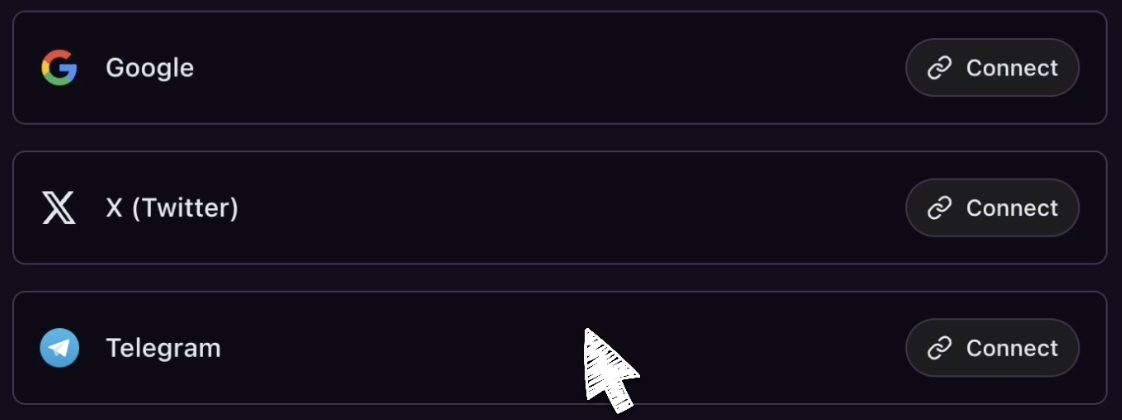
  <Step title="Choose and authorize account">
    Choose the account type you want to link - for example X (Twitter) - and follow the prompts to authorize the connection.
    <Frame>
      ![Account linking options including social media platforms](https://s3.amazonaws.com/helpscout.net/docs/assets/685306b72e0550277aa9250e/images/687905db3991a70211530b69/file-f562LtKkA4.png)
    </Frame>

    <Check>
      Once linked your account will show up under the Accounts tab. You can repeat this process to connect as many platforms as you'd like.
    </Check>
  </Step>
</Steps>

<Note>
  The linked accounts will appear in your Accounts tab, giving you multiple ways to access your B3 profile and maintain a consistent identity across all B3 platforms.
</Note>