> ## Documentation Index
> Fetch the complete documentation index at: https://docs.b3.fun/llms.txt
> Use this file to discover all available pages before exploring further.

# How to Unstake Your Tokens

> Learn the complete 2-part process to unstake your B3 tokens, including the 45-day cooldown period and withdrawal steps

Unstaking lets you begin the process of moving your B3 tokens out of staking and back into your wallet. This is a 2-part process, requiring a 45-day cooldown before you are able to complete the unstaking process. Follow this quick guide for a step-by-step on how to unstake your tokens.

## Steps to Unstake - Part 1

<iframe className="w-full aspect-video rounded-xl" src="https://www.youtube.com/embed/YjaI8wOTFU8" title="How to start the unstaking process - Part 1" frameBorder="0" allow="accelerometer; autoplay; clipboard-write; encrypted-media; gyroscope; picture-in-picture" allowFullScreen />

<Steps>
  <Step title="Navigate to staking platform">
    Go to [stake.b3.fun](https://stake.b3.fun/) and log in using your preferred login method.
  </Step>

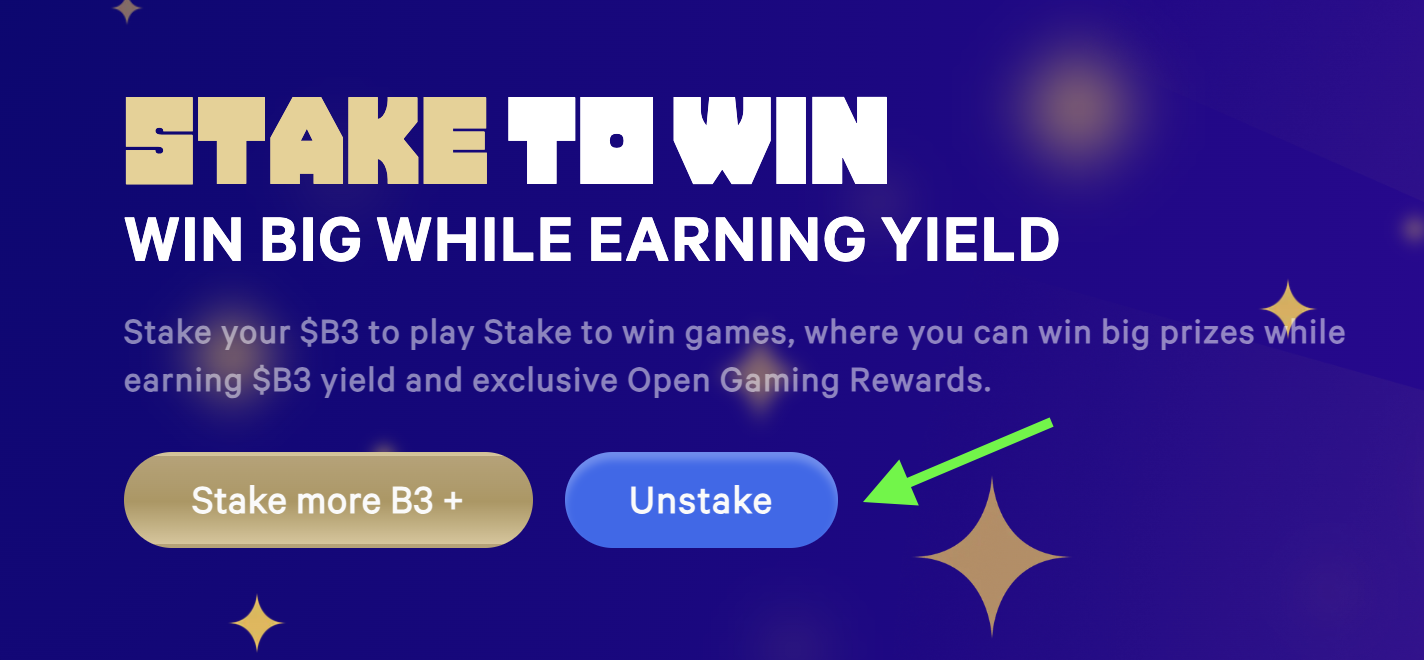
  <Step title="Start unstaking">
    Click **Unstake**.

    <Frame>
      <img src="https://s3.amazonaws.com/helpscout.net/docs/assets/685306b72e0550277aa9250e/images/6880caa7401e5f22412d6f07/file-RPUyMZLGQw.png" alt="Unstake button on the staking dashboard" />
    </Frame>
  </Step>

  <Step title="Confirm unstaking">
    Click **Unstake** again on the next screen.

    <Frame>
      <img src="https://s3.amazonaws.com/helpscout.net/docs/assets/685306b72e0550277aa9250e/images/6880d58ec11e7d1454719143/file-cbpw28bxs7.png" alt="Unstake confirmation dialog" />
    </Frame>
  </Step>

  <Step title="Configure unstaking">
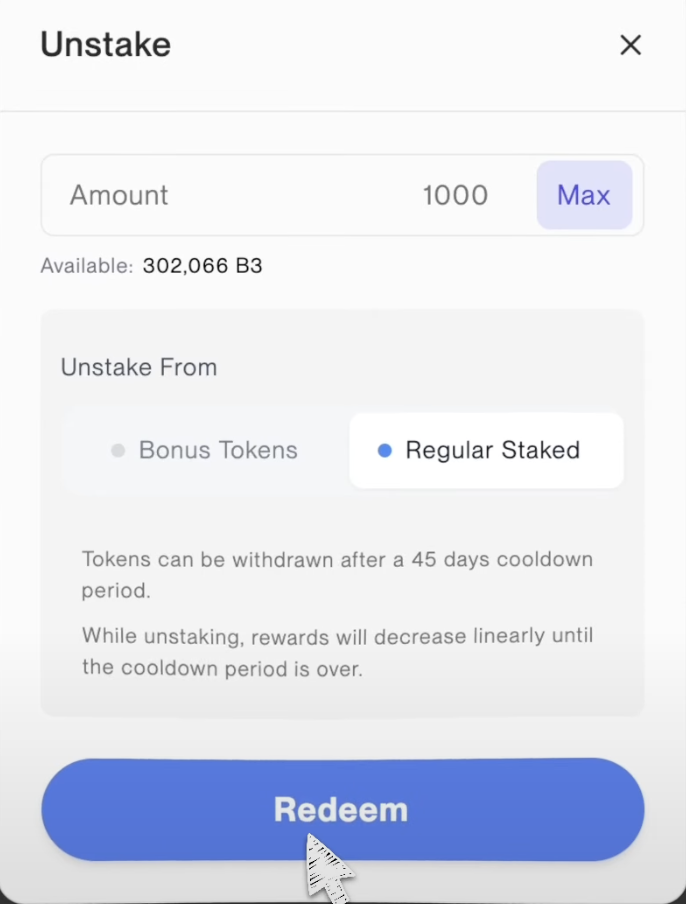
    Enter the amount you want to unstake, where you want to unstake from (bonus or regular staked tokens), and then click **Redeem**.

    <Frame>
      <img src="https://s3.amazonaws.com/helpscout.net/docs/assets/685306b72e0550277aa9250e/images/6880d5b6a309495486d15222/file-CB226Ql8iu.png" alt="Unstaking configuration with amount and source selection" />
    </Frame>
  </Step>

  <Step title="Confirm transaction">
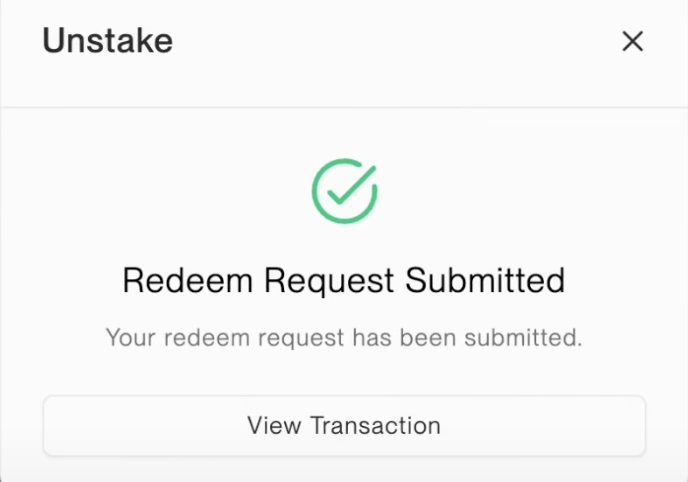
    Confirm the transaction in your wallet to complete the first half of the unstaking process. Once complete, your tokens will enter a 45-day cool-down period. During this time, you must wait 45 days before you can withdraw your tokens from the pool.

    <Frame>
      <img src="https://s3.amazonaws.com/helpscout.net/docs/assets/685306b72e0550277aa9250e/images/6880d6a8c11e7d145471914b/file-23wcN9GIV4.png" alt="Transaction confirmation and cooldown notification" />
    </Frame>

    <Warning>
      Your tokens are now in a 45-day cooldown period. You cannot access them until this period ends.
    </Warning>
  </Step>
</Steps>

## Steps to Unstake - Part 2

<iframe className="w-full aspect-video rounded-xl" src="https://www.youtube.com/embed/cWF60Ga63zc" title="How to complete the unstaking process - Part 2" frameBorder="0" allow="accelerometer; autoplay; clipboard-write; encrypted-media; gyroscope; picture-in-picture" allowFullScreen />

<Steps>
  <Step title="Return after cooldown">
    Go to [stake.b3.fun](https://stake.b3.fun/) and log in using your preferred login method.
  </Step>

  <Step title="Access unstaking">
    Click **Unstake** from the main page.

    <Frame>
      <img src="https://s3.amazonaws.com/helpscout.net/docs/assets/685306b72e0550277aa9250e/images/6880caa7401e5f22412d6f07/file-RPUyMZLGQw.png" alt="Unstake button for accessing withdrawal options" />
    </Frame>
  </Step>

  <Step title="Find your pending withdrawal">
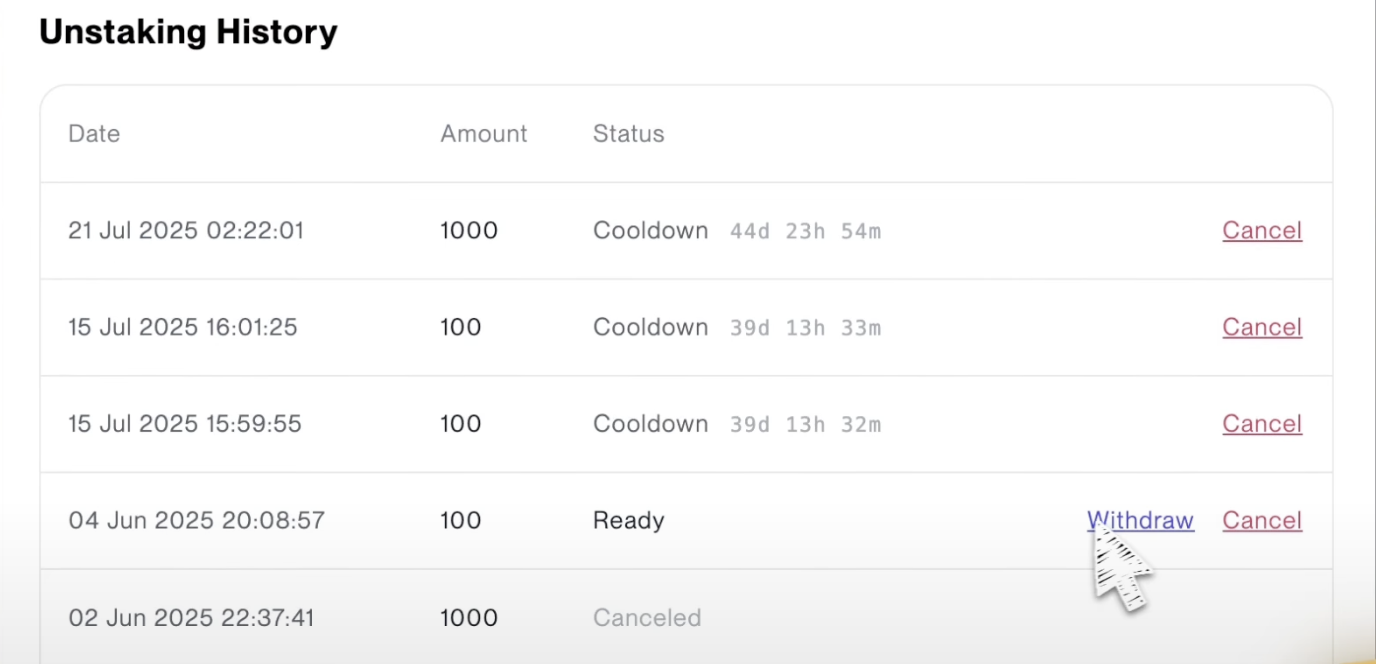
    Locate the transaction with your previously withdrawn token. If 45 days have passed since you initiated the redeem request, you should now see the option to withdraw your tokens. Click **Withdraw**.

    <Frame>
      <img src="https://s3.amazonaws.com/helpscout.net/docs/assets/685306b72e0550277aa9250e/images/6880d910a309495486d15244/file-hV44iKcfeA.png" alt="Withdraw button available after cooldown period" />
    </Frame>
  </Step>

  <Step title="Complete withdrawal">
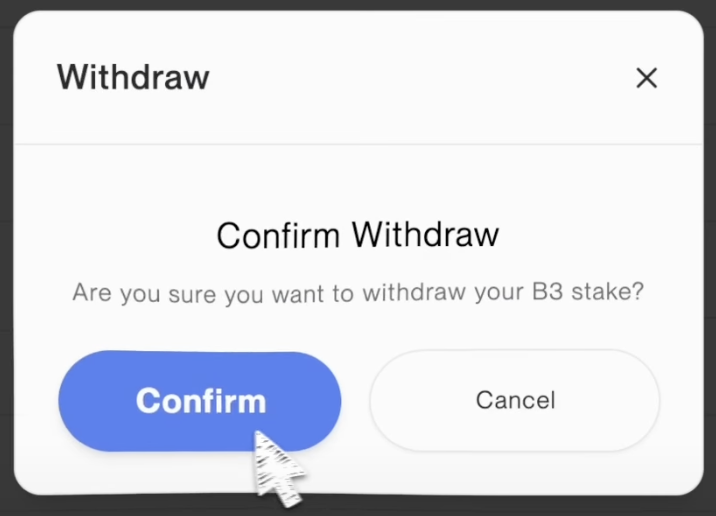
    You'll be prompted to confirm your withdrawal. Click **Confirm** and then confirm the transaction again in your wallet to complete the withdrawal process.

    <Frame>
      <img src="https://s3.amazonaws.com/helpscout.net/docs/assets/685306b72e0550277aa9250e/images/6880d97cb28ecf16639c8ba2/file-4xAU7oxk71.png" alt="Final withdrawal confirmation dialog" />
    </Frame>

    <Check>
      Once confirmed, your tokens will be available in your wallet for use.
    </Check>
  </Step>
</Steps>

<Info>
  The 45-day cooldown period is designed to ensure the stability of the staking pool. During this time, your tokens are not earning rewards but are also not available for use.
</Info>